¶ Managing Semantic Tags and Synonyms
¶ Adding Tags
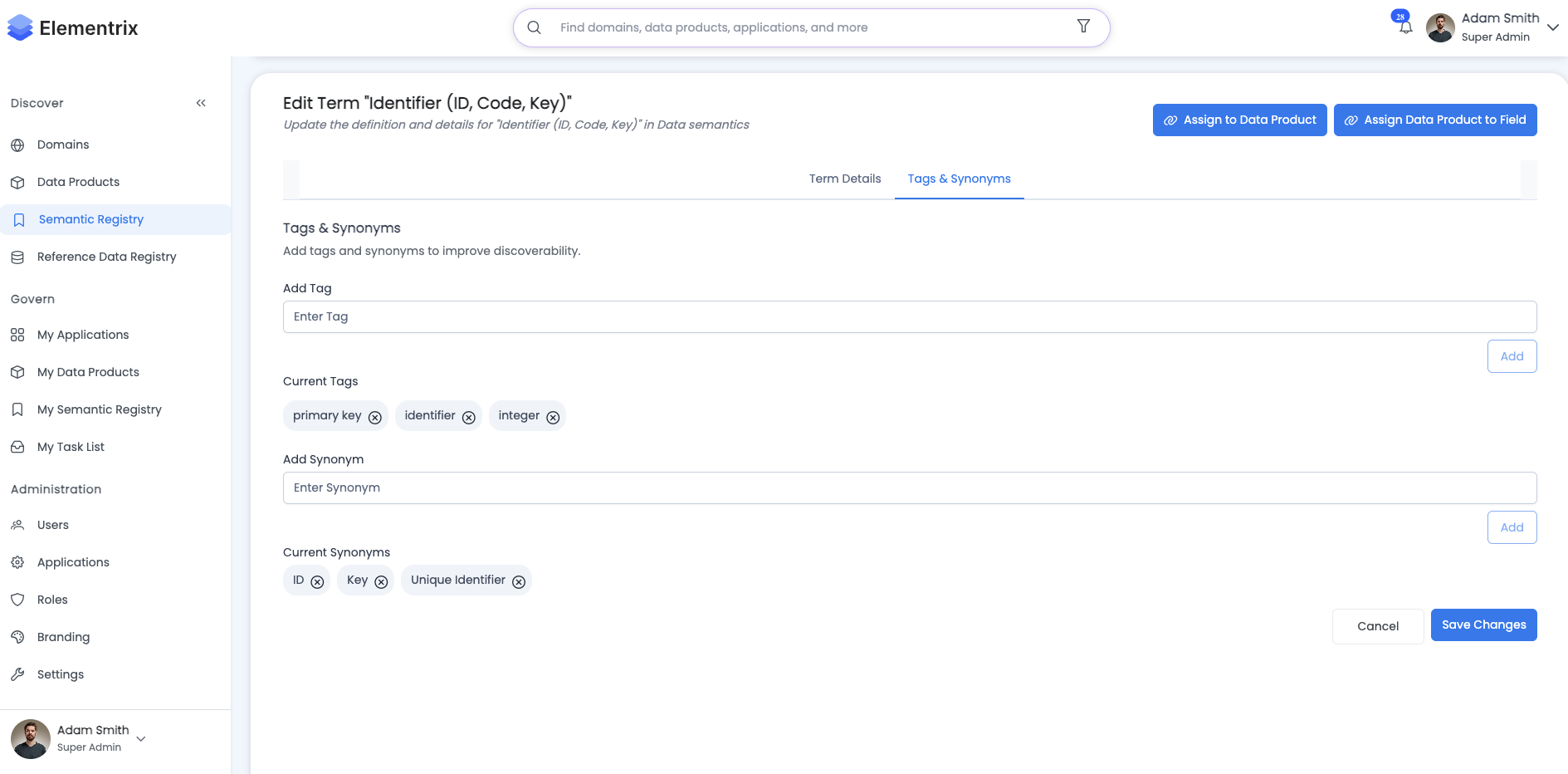
Tags improve discoverability and categorization:
How to Add Tags:
- Edit the semantic term
- Navigate to "Tags" section
- Type tag name and press Enter
- Tags autocomplete from existing tags
- Save changes
Tag Best Practices:
- Use lowercase, no spaces
- Create consistent tag taxonomy
- Use 3-7 tags per term
- Include:
- Domain tags (finance, marketing, operations)
- Type tags (metric, dimension, attribute)
- Subject tags (customer, product, transaction)
Example Tag Set:
Term: "Customer Lifetime Value"
Tags: [customer, metric, revenue, analytics, clv, predictive]
¶ Managing Synonyms
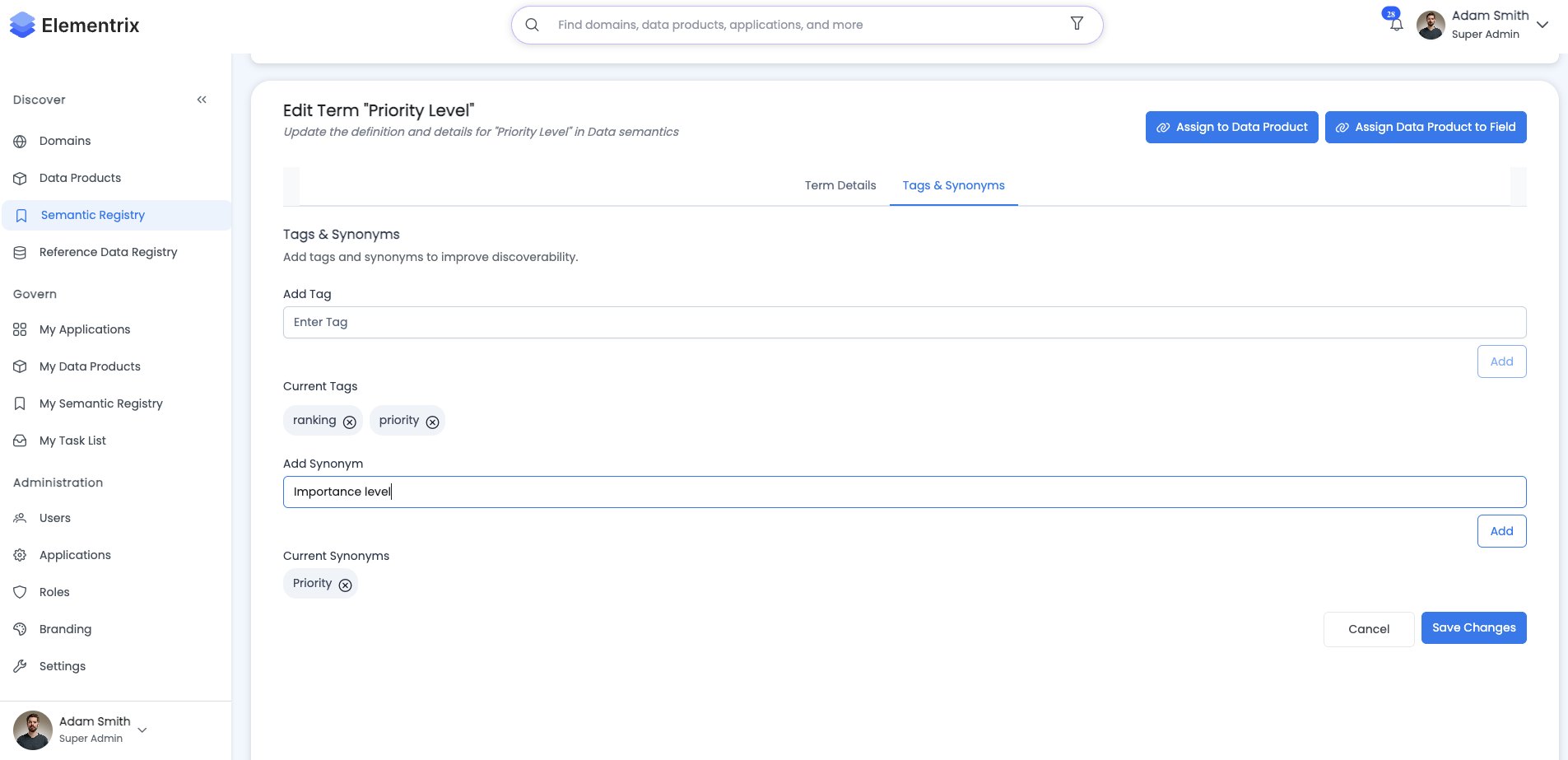
Synonyms help users find terms using different names:
Adding Synonyms:
- Edit the semantic term
- Click "Add Synonym"
- Enter synonym text
- Mark if it's an acronym
- Save
Synonym Example:
Term: "Customer Lifetime Value"
Synonyms:
  - CLV (acronym)
  - LTV (acronym)
  - Lifetime Value (alternative)
  - Customer Value (informal)
Rules:
- Synonyms must be unique across all terms
- Maximum 10 synonyms per term
- Acronyms should be marked as such
- System prevents duplicate synonyms
¶ Next Steps
- Link to Data Products to provide semantic context
- Regularly review and update tags as your taxonomy evolves
- Monitor tag usage to maintain consistency