¶ Linking Semantics to Data Products
Linking semantics to data products creates semantic context and enables discovery.
¶ Method 1: From Semantic Term
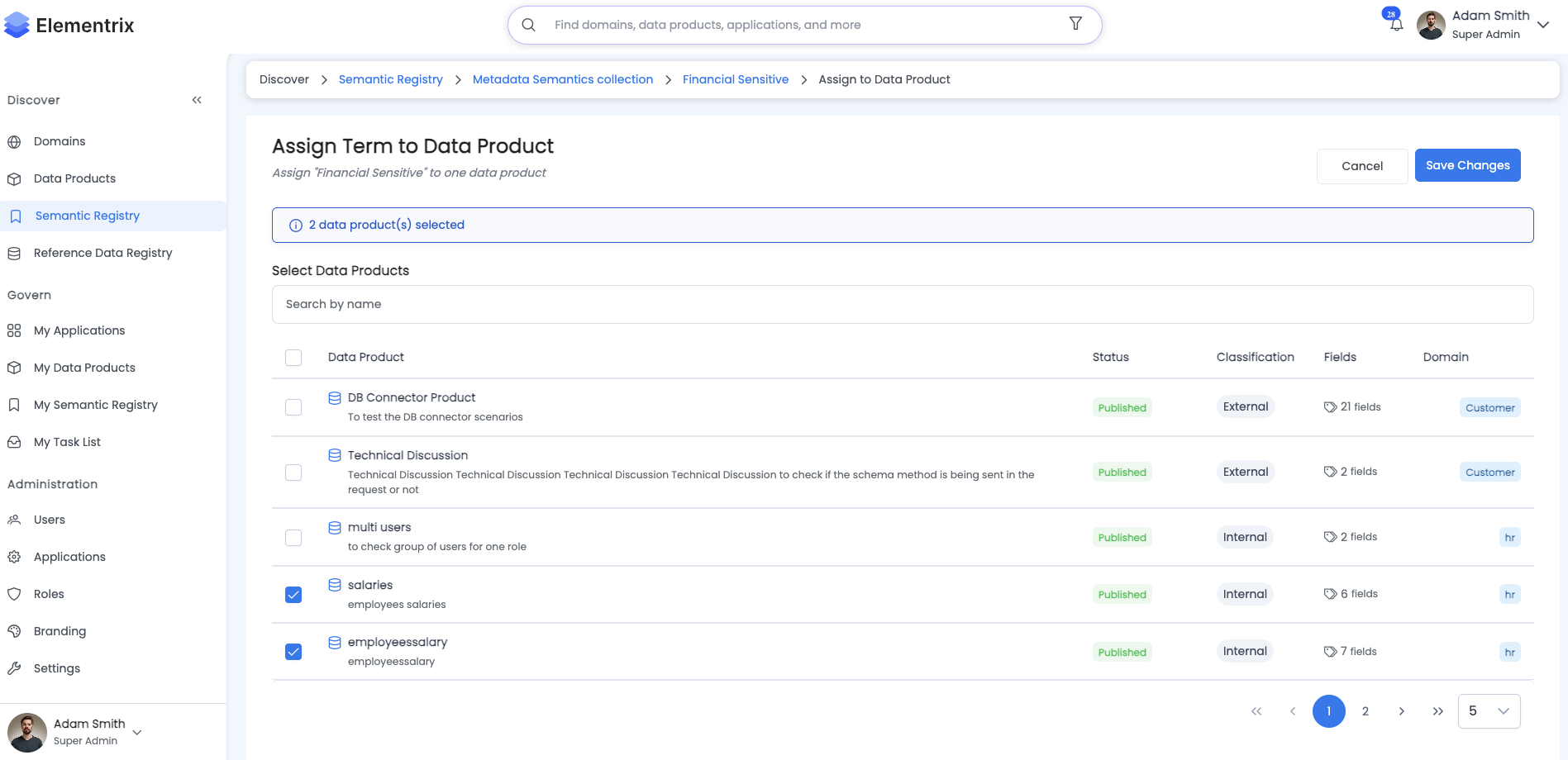
-
Navigate to the Semantic Term
- Go to Business Glossary
- Select category and term
-
Click "Link to Data Products"
-
Select Data Products:
- Search or browse data products
- Select multiple products if needed
- Click "Link"
-
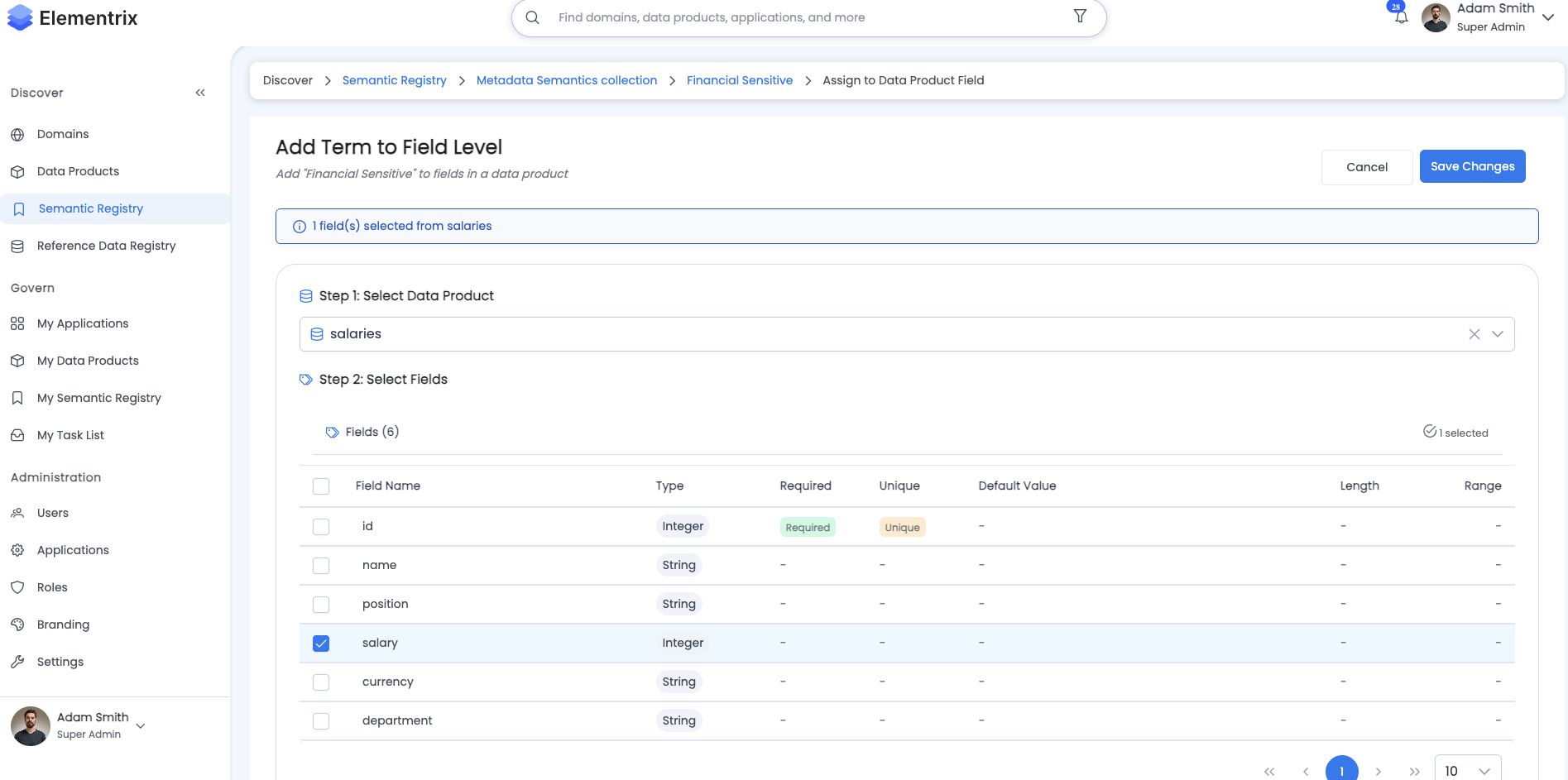
Specify Field Mapping (Optional):
- Map term to specific fields
- Example: "Customer Lifetime Value" →
customer.lifetime_valuefield
¶ Method 2: From Data Product
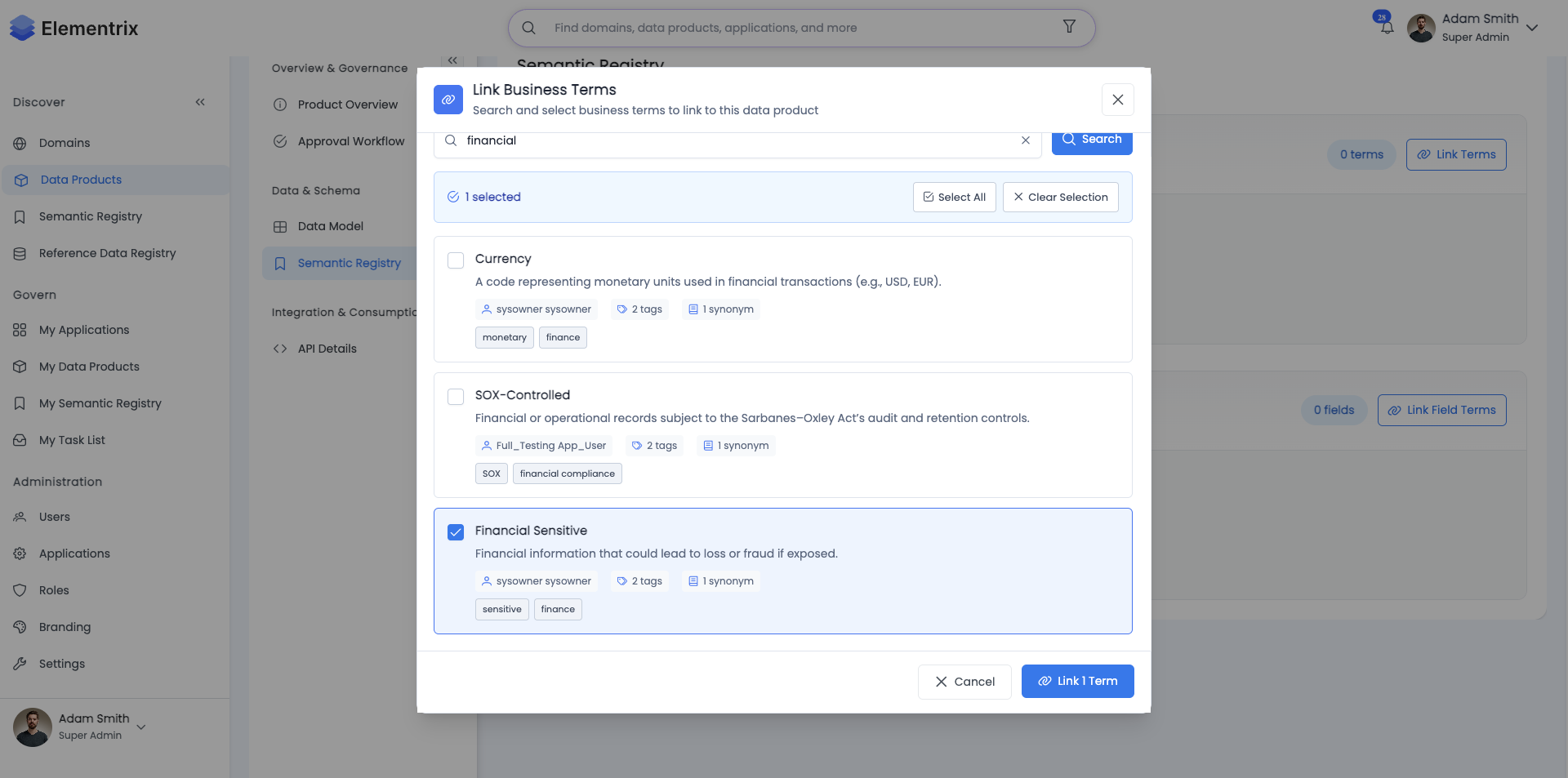
During data product creation or editing:
-
Navigate to Semantic Registry Step
- In the data product creation wizard
- Step 6: "Semantic Registry"
-
Search for Terms:
- Search by term name or browse categories
- Select relevant terms
-
Map to Fields:
Field: customer_lifetime_value Linked Term: Customer Lifetime Value Field: customer_id Linked Term: Customer Identifier -
Save Mappings:
- Mappings appear in product metadata
- Terms show linked products
¶ Benefits of Linking
- Discovery: Users find products through semantic search
- Context: Clear meaning of data fields
- Relationships: See all products using same term
- Governance: Track term usage across organization
¶ Viewing Linked Products
¶ From Semantic Term
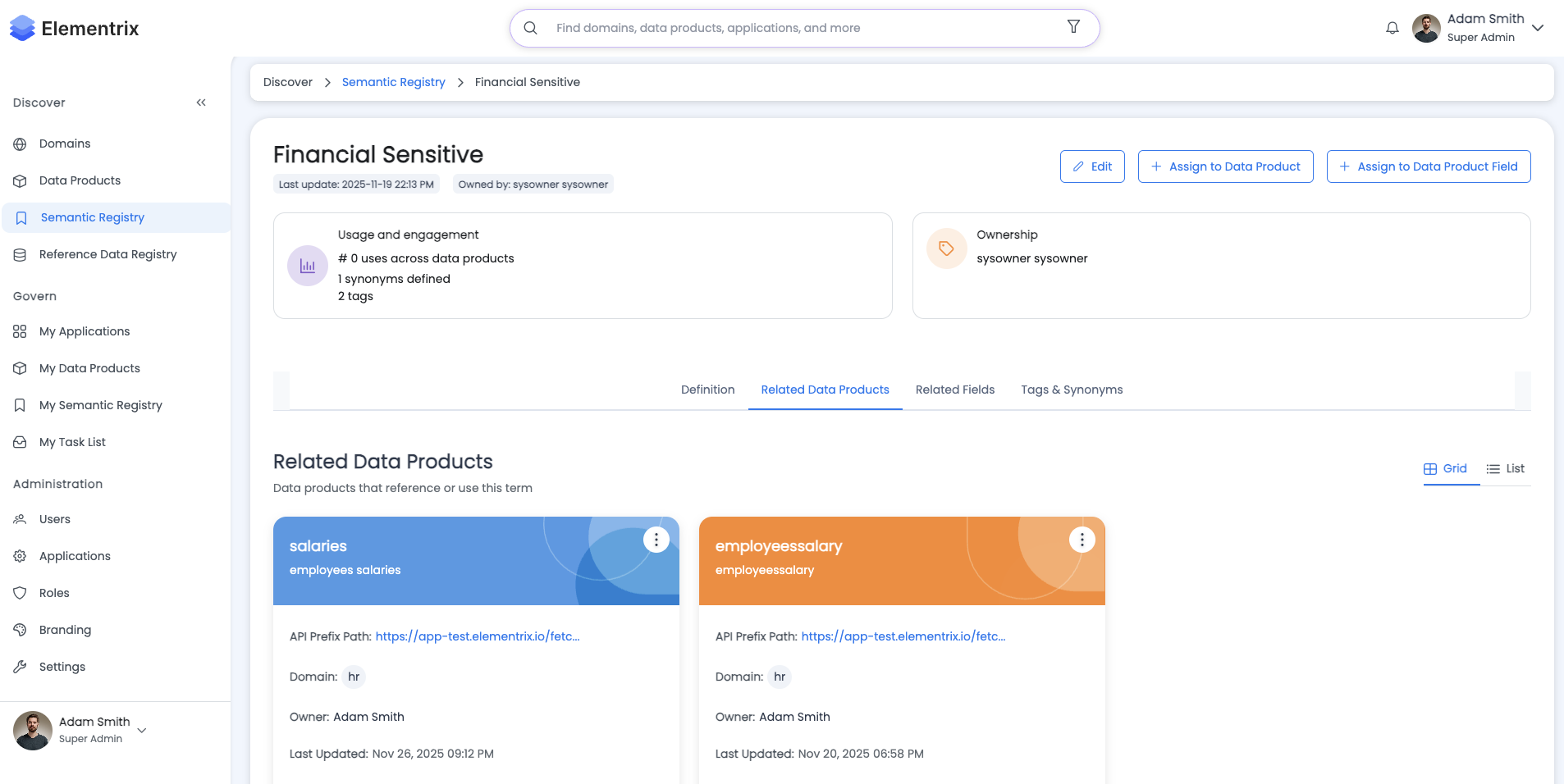
- Open any semantic term
- Click "Linked Data Products" tab
- View all products using this term
Display Shows:
Customer Lifetime Value
└── Linked to 5 Data Products:
    ├── Customer Analytics Dashboard (3 fields)
    ├── Revenue Forecasting Model (1 field)
    ├── Customer Segmentation (2 fields)
    ├── Marketing Campaign ROI (1 field)
    └── Subscription Management (4 fields)
¶ From Data Product
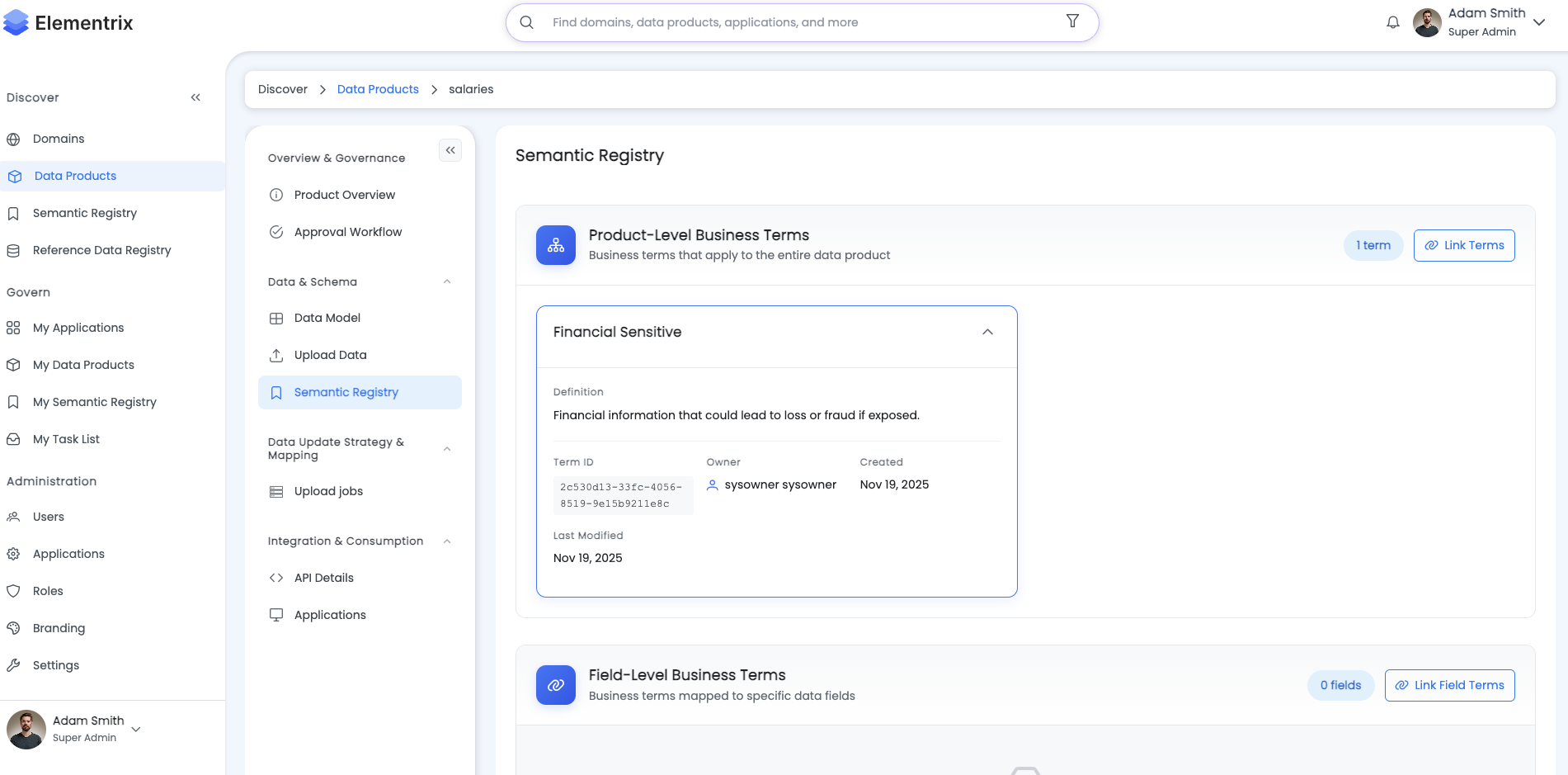
- Open data product details
- Click "Semantics" tab
- View all linked terms
Display Shows:
Data Product: Customer Analytics Dashboard
└── Linked Semantics (5 terms):
    ├── Customer Lifetime Value → customer_ltv field
    ├── Customer Acquisition Cost → customer_cac field
    ├── Churn Rate → churn_rate field
    ├── Customer ID → customer_id field
    └── Purchase Frequency → purchase_frequency field
¶ Cross-Linking Benefits
- Find related products sharing terminology
- Understand data relationships
- Navigate between related datasets
- Maintain semantic consistency