¶ Creating Semantics Collections
¶ Create New Semantics Collection
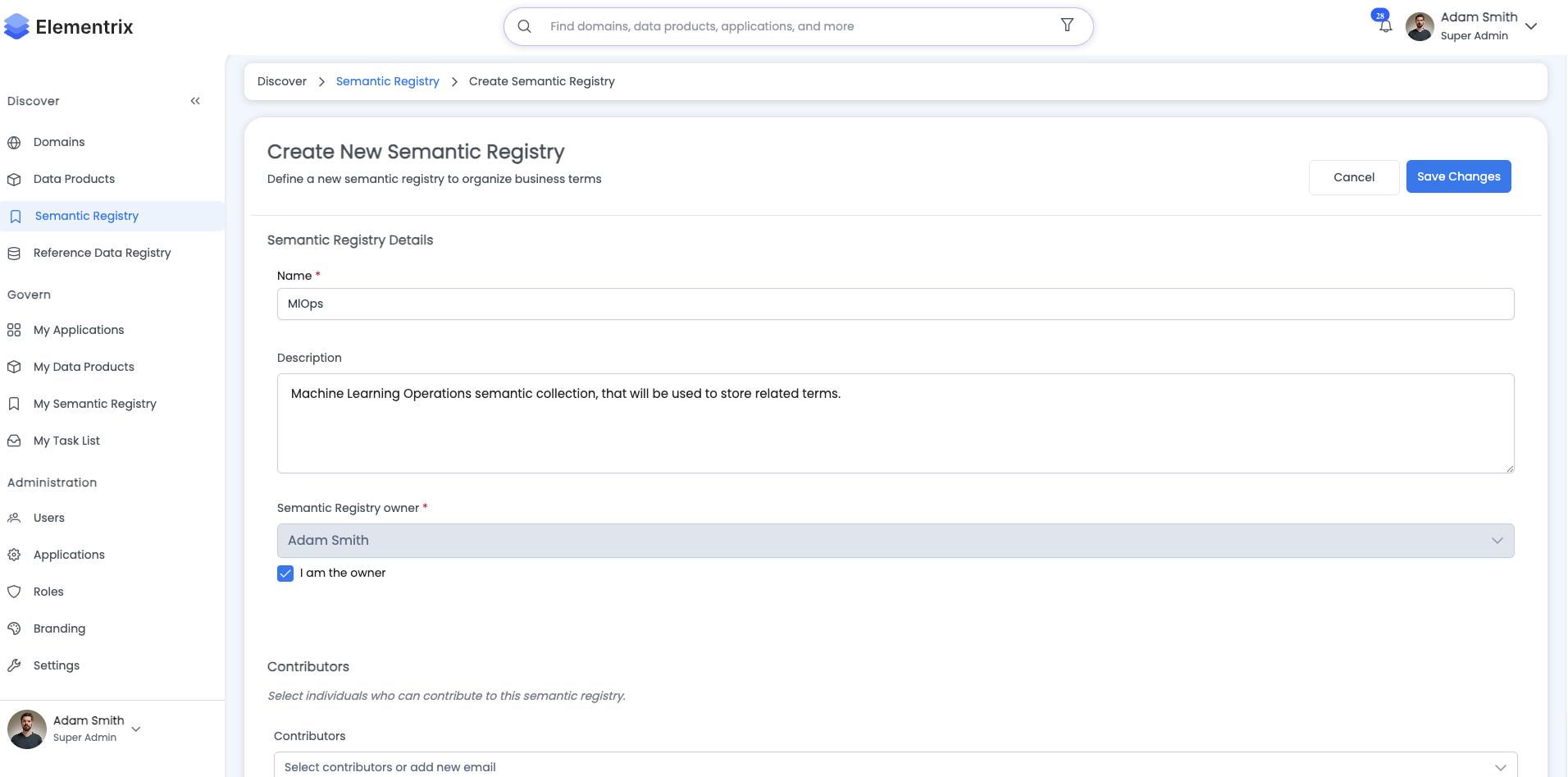
Step-by-Step Guide:
-
Navigate to Business Glossary
- Click on "Business Glossary" in the left sidebar
- Click the "Create Category" button
-
Fill in Collection Details
Name: Customer Analytics Terms Description: Terms related to customer data and analytics Owner: data-governance-team@company.com -
Add Contributors (Optional)
- Select team members who can edit this collection
- Contributors can add/edit terms within this category
-
Set Visibility
- Public: Visible to all users
- Private: Visible only to owner and contributors
-
Save the Collection
- Click "Create" to save
- Collection appears in the glossary list
¶ Best Practices
- Use clear, descriptive names
- Assign appropriate owners
- Add comprehensive descriptions
- Organize collections by business domain
¶ Next Steps
After creating a collection, you can:
- Create Semantic Terms within the collection
- Add contributors to help maintain the collection
- Link the collection terms to data products